MiniMax-H3-Image is MiniMax's open-weights model for text-to-image and image editing, released on November 10, 2026. It generates about 16-megapixel (4K) images directly, in 6 sampling steps, and accepts up to 16 reference images for edits. API pricing starts around $0.022 per 1K image.
At a glance
- What it is
- MiniMax's open-weights image model, released Nov 10, 2026. One model for text-to-image and editing: ~16 MP native, 6 steps, up to 16 reference images.
- Speed
- About 10 s for a 4096×4096 image, per MiniMax. MiniMax's own P50 chart shows 16.0 s (Standard) and 10.3 s (Highspeed) at 4K.
- Price
- Official API, Standard, example cost: $0.02179 at 1K, $0.06879 at 4K ($0.03439 with the 50% launch offer until Nov 17, 16:00 UTC). Calculator
- License limits
- The community license does not cover the US, EU, UK or South Korea. Revenue above $1M or a hosted service for others needs MiniMax's written authorization. Details
Which "H3" is which?
| Name | What it is | Key numbers |
|---|---|---|
| MiniMax-H3-Image (this guide) | MiniMax's official image model, released Nov 10, 2026 | 6 steps · ~16 MP · up to 16 reference images |
| P-H3-Image | Pruna AI's image model built on MiniMax-H3, on Hugging Face since late Oct 2026 | 8 steps · 8 MP · up to 8 input images (per its model card) |
| MiniMax-H3 | MiniMax's video model family (H3, Highspeed, Lite) | Makes video clips, not stills |
| "Seedance 5.5" | No such model found. Seedance is ByteDance's video line (latest 2.5); the new image model is Seedream 5.5 | Explained |
Some sites call P-H3-Image just "H3 Image". If a page says 8 steps, 8 MP or 8 references, it describes P-H3-Image. Sources: the MiniMax and PrunaAI Hugging Face model cards and ByteDance Seed, checked 2026-11-11. P-H3-Image is distributed under the MiniMax-H3 community license.
This is an independent, unofficial guide. It is not affiliated with or endorsed by MiniMax. Every figure below links to its primary source.
Where to try it
Prices checked on 2026-11-11 from each provider's page and can change. These are not affiliate links; we earn nothing from them. Runware and WaveSpeed are third parties, not MiniMax. Check the license territory and hosting rules for your use.
Key specs
| Item | Value | Source |
|---|---|---|
| Developer | MiniMax (licensor entity: Nanonoble Pte. Ltd.) | License |
| Release / license date | November 10, 2026 | License |
| Tasks | Text-to-image and image editing in one checkpoint | Model card |
| Diffusion transformer | 33.1B parameters, dense single-stream, 50 layers | Model card |
| Sampling | 6 steps (6 NFEs), no classifier-free guidance | Model card |
| Native output | ~16 MP, from 4096×4096 (1:1) to 6272×2688 (21:9), no upscaler | Model card |
| Effective range | About 4 MP to 20 MP; best around 16 MP | Model card |
| Reference images | Up to 16 (image editing) | Model card / API docs |
| Text encoder | MiniMax-H3 text encoder (Qwen3-VL), unchanged; loaded from MiniMaxAI/MiniMax-H3 | Model card |
| Weights (BF16 DiT) | 68.65 GB repo; text encoder adds 66.7 GB | Model card |
| Optional prompt expander | MiniMax-H3-Image-PE, NVFP4, 17.9 GB | Model card |
| Negative prompt | Not supported | Model card / ComfyUI docs |
| License | MiniMax-H3-Image Community License Agreement (territory-restricted) | License |
Official sample outputs
Text-to-image and edit results published by MiniMax, shown downscaled.


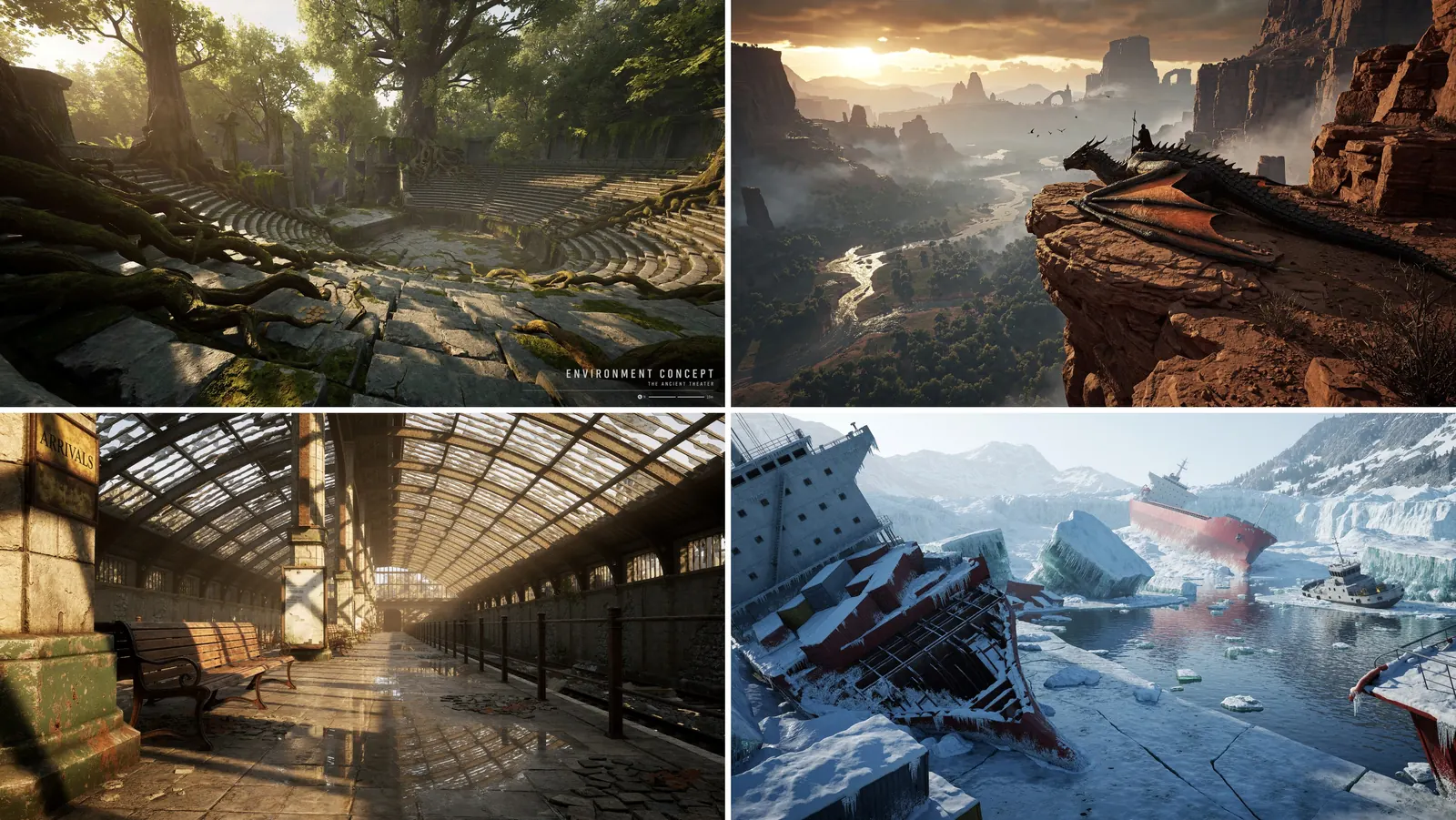
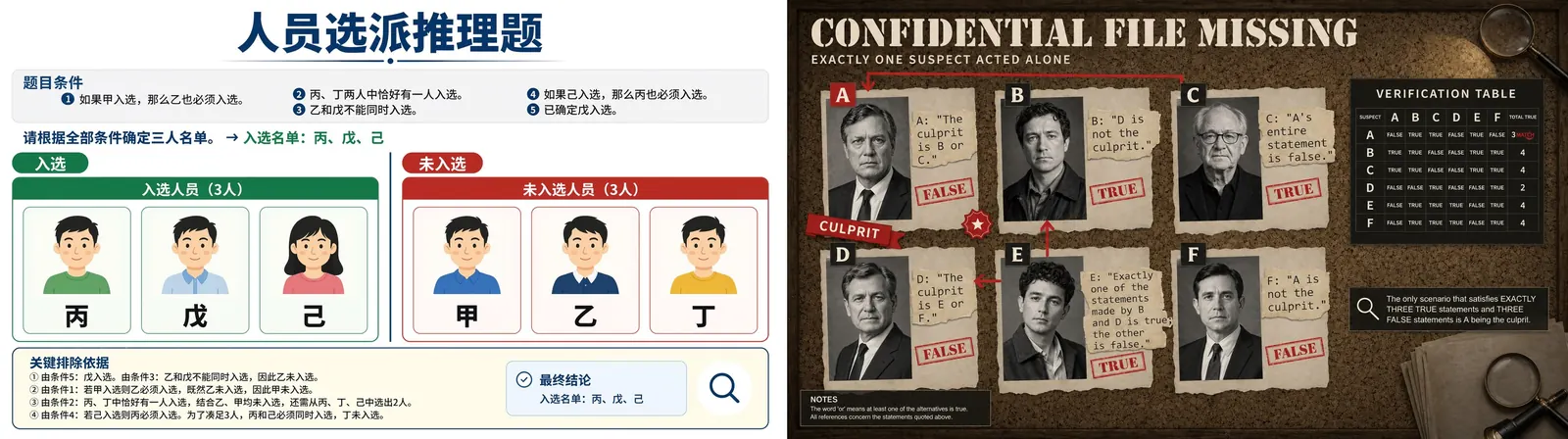
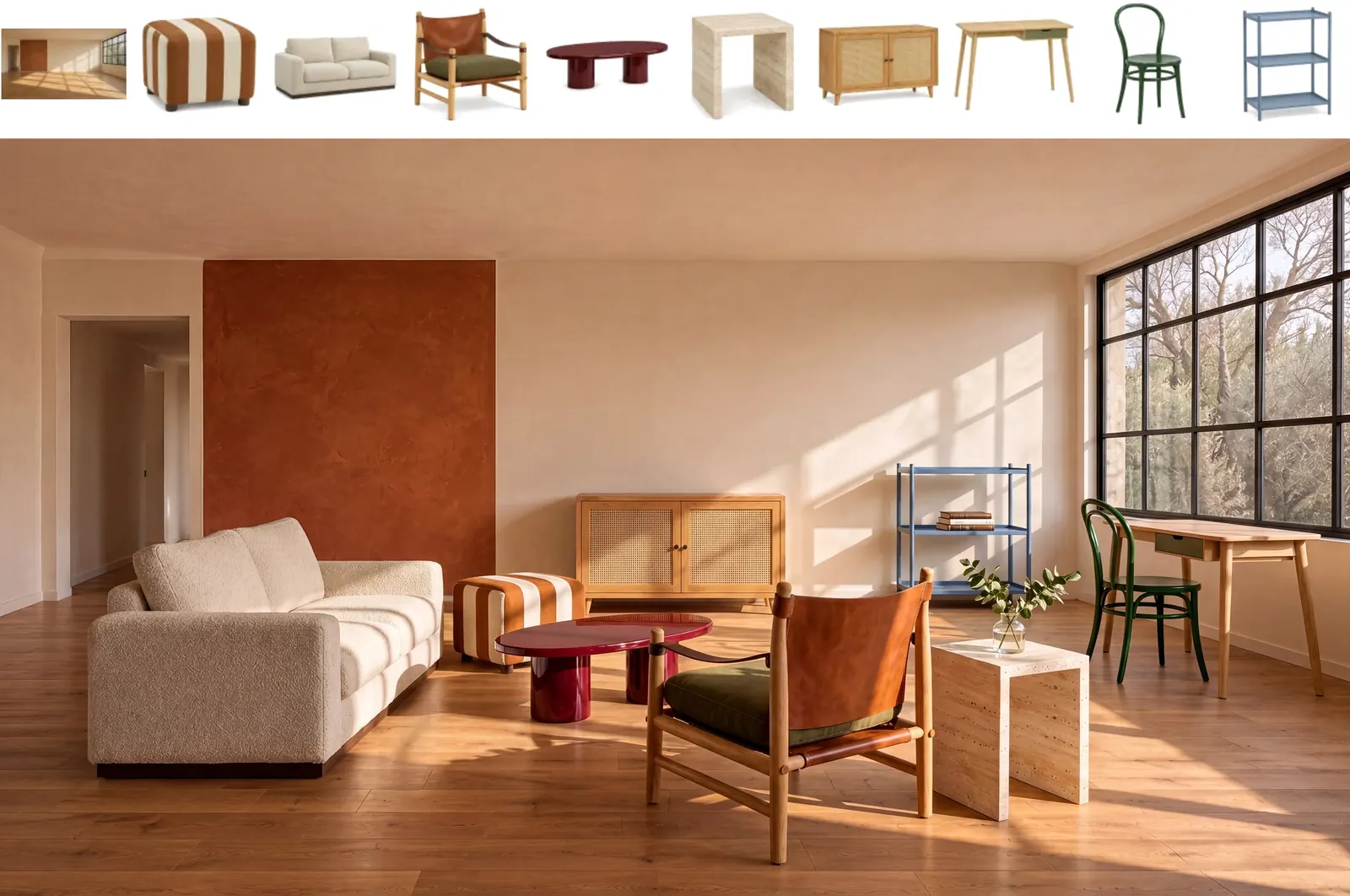
More examples, including community outputs from X →
4K image generation in 10 seconds! Meet MiniMax H3-Image. 16 million pixel resolution. Up to 16 reference images. And it's open-weight.
— @MiniMax_AI View post on X
What MiniMax claims
From the model card and MiniMax's launch article (WeChat, November 10, 2026). These are the vendor's own claims; this site has not benchmarked them.
- About 10 seconds for a 4096×4096 image, which MiniMax says is up to 5× the speed of mainstream tools.
- On MiniMax's hosted service, Standard mode is said to be 1.5–2× and Highspeed 3–4× faster than mainstream tools, at 50–70% of their price.
- Post-training work on data, reinforcement learning, step compression, the prompt expander (PE) and deployment.
- 16 MP at a practical cost. MiniMax contrasts this with the 1–4 MP outputs it calls common today.
- Detail and realism. MiniMax says outputs go beyond the familiar "AI look".
- Instruction following. MiniMax claims the strongest instruction following among open-weights models.
See real outputs people shared on launch day on the examples page, and the speed chart on the API page.
Ways to use it
| Path | Best for | Guide |
|---|---|---|
Official API (MiniMax-H3-Image, MiniMax-H3-Image-Highspeed) | Apps, no GPU | API guide |
| ComfyUI (INT8 templates) | Single-GPU desktop workflows | ComfyUI guide |
| SGLang / vLLM-Omni / diffusers | Self-hosted serving | Local guide |
| Hailuo AI web app, MiniMax Agent desktop, MiniMax Code | Trying it without code | hailuoai.video |
Before you build on it
Read the license summary. The community license excludes the EU, UK, South Korea and the US, and hosted services need written authorization from MiniMax.
FAQ
What is MiniMax H3 Image?
MiniMax-H3-Image is an open-weights image model from MiniMax, released on November 10, 2026. One checkpoint does both text-to-image and image editing with up to 16 reference images. It generates about 16-megapixel images natively in 6 sampling steps.
Is MiniMax-H3-Image open-weights and free to use?
The weights are public on Hugging Face under the MiniMax-H3-Image Community License Agreement, not an OSI-approved license. The grant is royalty-free but limited to the "Applicable Territory" and to the license terms. A separate written authorization is required above 1 million USD annualized revenue or when you offer a hosted service to third parties.
Can I use MiniMax H3 Image in the US, EU, UK or Korea?
Not under the community license. It defines the European Union, the United Kingdom, the Republic of Korea and the United States of America as "Excluded Territories". MiniMax says people there can contact it about a separate license. Using the official API is governed by MiniMax's platform terms instead; check those for your location.
How much does the MiniMax H3 Image API cost?
Billing is per token. Standard MiniMax-H3-Image is $2.30 per million input text tokens, $1.50 per million input image tokens and $3.80 per million output image tokens. MiniMax's own examples put a 1K text-to-image at about $0.022 and a 4K one at about $0.069 before the launch discount.
What hardware do I need to run it locally?
The full BF16 transformer is about 66 GB and the text encoder about 67 GB more. ComfyUI's INT8 build uses a 21 GB diffusion model and a 25.28 GB INT8 text encoder. MiniMax's model card does not state a minimum VRAM figure. It names H200, RTX PRO 6000 Blackwell and AMD MI350X among supported accelerators for vLLM-Omni.
Does MiniMax H3 Image support negative prompts?
No. Guidance is fixed at 1 and negative_prompt is rejected. Put what you want to avoid into the main prompt instead.
MiniMax H3 Image vs MiniMax H3 (video): what is the difference?
MiniMax-H3-Image (released November 10, 2026) makes and edits still images at about 16 MP. MiniMax-H3 is the earlier video family that generates video with audio, including image-to-video. H3-Image reuses the H3 architecture without the audio layers and the same text encoder, but it is a separate checkpoint with separate image endpoints (/v1/images/generations and /v1/images/edits). Searches like "minimax h3 image to video" are about the video models.
How does MiniMax H3 Image compare with Seedream 5.5 and Qwen-Image 2.1?
All three generate and edit images. H3-Image has public weights, ~16 MP native output and up to 16 references. ByteDance's Seedream 5.5 (Nov 9, 2026) is offered through ByteDance apps and APIs; its announcement does not mention open weights and highlights 100-round editing and native RGBA. Qwen-Image 2.1 (Sep 20, 2026) has open weights under a non-commercial research license, a 7B generation component and native 2K output. See the comparison pages for sources.
How fast is MiniMax H3 Image?
MiniMax says it generates a 4096×4096 (16 MP) image in about 10 seconds. Its own P50 latency chart lists 16.0 s for Standard and 10.3 s for Highspeed at 4K text-to-image. Tech outlet APPSO measured 10 to 20 seconds for a 4096×4096 image in its hands-on.
Where can I try MiniMax-H3-Image online?
MiniMax lists its Hailuo AI web app (hailuoai.video), the MiniMax Agent desktop app (agent.minimax.io), MiniMax Code, and the API at platform.minimax.io. The Hugging Face model page also links an official Space.